


2 easy ways to Download and View Form 26AS for filing Return of Income Tax (ITR).
2 easy ways to Download and View Form 26AS for filing Return of Income Tax (ITR).

 Basically, Form 26AS gives a taxpayer a summary of all deductions of taxes from his account, including any demand orders that the department has issued against the taxpayer. You can download form 26AS very easily using either of these two ways.

There are two easy ways to download and view your form 26AS.
- From the Income Tax Portal
- From Your Bank's NetBanking Page
(1) Download form 26AS From the Income Tax Portal
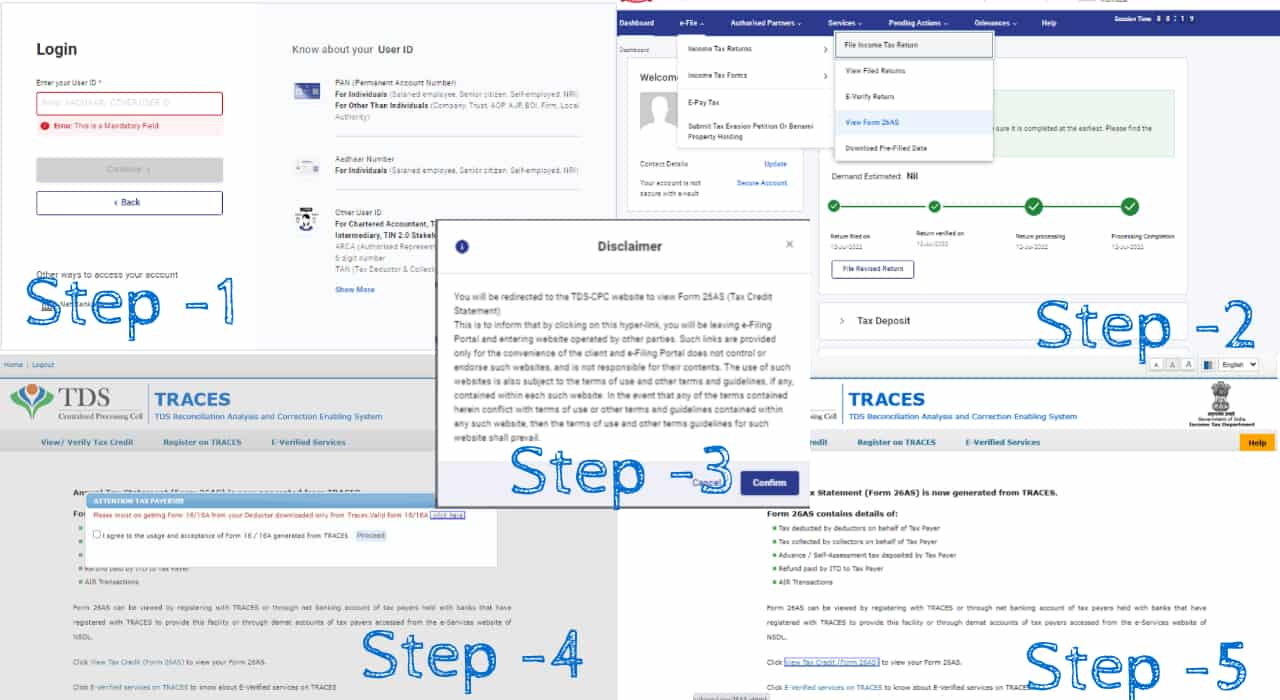
Step 1: login to the income tax portal using this official link
Step 2: Once logged in - navigate to "E-File Returns" then Select "Form 26AS"
Step 3: A disclaimer window will pop up, click confirm
Step 4: Accept the T&C of the Traces Portal
Step 5: Click View Tax Credit (Form 26AS) to view your Form 26AS.
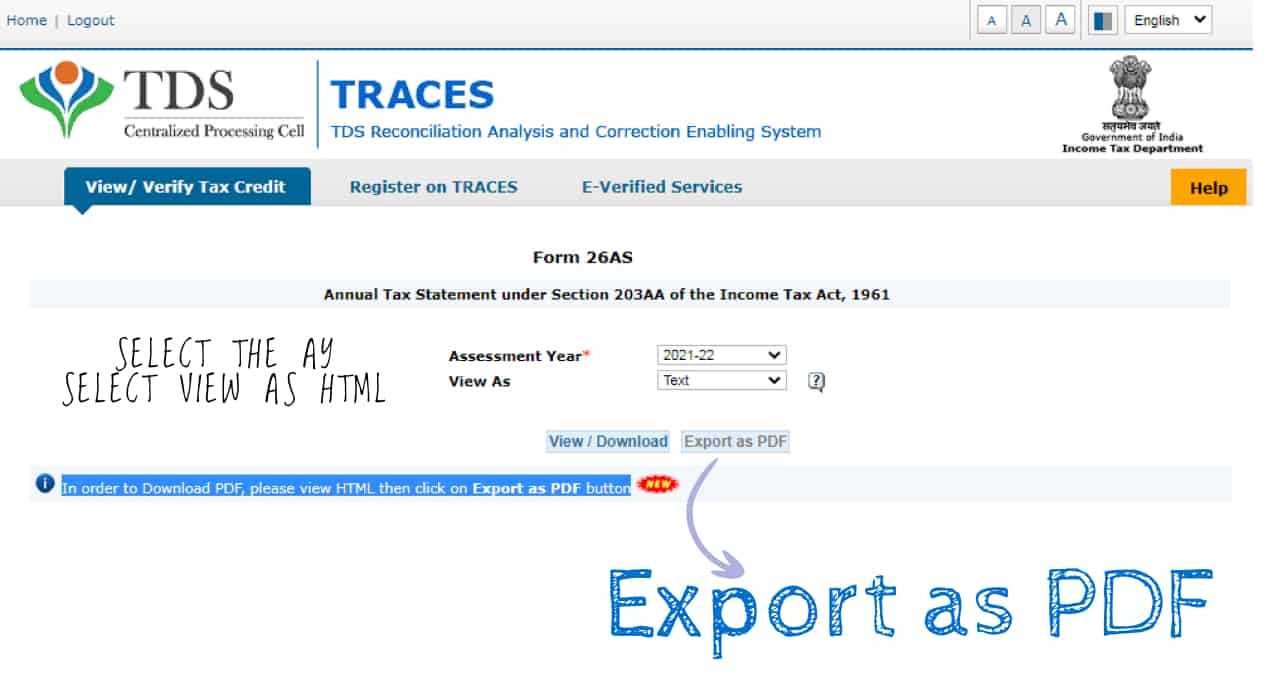
Step 6: Select the AY, Select HTML as the file type, then cick on Export as PDF
(please refer the images below for screenshots of each step)
Congratulations, you have successfully downloaded the form 26AS using the first method.
(2) Using the Netbanking page of your bank
(We have used the netbanking of SBI bank for a reference. You should try to find the relevant settings of your bank, it is similar but not exactly the same for each bank).
Step 1: Login to your netbanking
Step 2: Under "E-services" Tab, Click My Certificates
Step 3: Click Form 26AS ... You will be redirected to the traces portal.
Step 4: Accept the Terms and Conditions of the Traces Portal
Step 5: Click View Tax Credit (Form 26AS) to view your Form 26AS.
Step 6: Select the AY, Select HTML as the file type, then cick on Export as PDF
Congratulations, you have successfully downloaded the form 26AS using the second method.
Yes, it's that easy. If you have any queries, please drop it as a comment to this article.
×


